
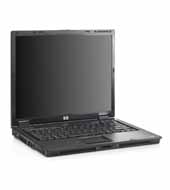
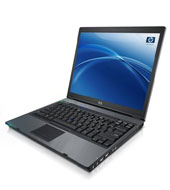
Summary
| Component | Status |
|---|---|
| X/DRI | Working fine with 6.9 or 7.0 X.org |
| Sound | No Problems |
| PCMCIA | No Problems |
| Modem | A bit touchy, but does work |
| Network (wired) | No Problems |
| Network (wireless) | No Problems |
| CD Burner | Burning at ca. 10x with no problems |
| USB | No Problems |
| Bluetooth | Unknown |
| Firewire | Unknown |
| Smartcard | Unknown |
Details
- General
The homepage at hp.com for this laptop is here.I'm building this up with a 2.6 kernel (currently a vanilla, unpatched 2.6.13.4), so that's all I'll have experience with.
I should note that the original 2.6.13 kernel seemed to do Bad Things with my laptop (ie: it would freeze, seemingly at random, during the boot sequence). I've currently got 2.6.13.4 running, though, and that seems fine. Perhaps some bug got fixed.
There's some more info on this laptop on this site, linked to from linux-laptop.net. There's also a gentoo-wiki.com page on the nc6220 laptop, which looks to be very, very similar.
It doesn't look like I'll have to touch the kernel to get anything working anymore, so here's my .config file (for 2.6.13.4) for kernel compilation. There's doubtless stuff in there which doesn't need to be (I don't think the AGP options do anything, for instance), but that's the .config which is working for me.
- Network
The network card shows up on the PCI bus as a "Broadcom Corporation NeXtreme BCM5705M_2 Gigabit Ethernet" device. The kernel module to use, intuitively enough, is tg3. Go figure. - X/DRI
I'm using X.org for X. X.org 6.9/7.0 introduced support for the graphics chipset in the laptop, so I'd recommend just going with that. Full DRI works fine using the i810 driver.Here's a copy of my working xorg.conf.
NOTE: The laptop doesn't like having X die unexpectedly on it. If you're running a display manager and want to kill it off, make sure that you switch into text mode (alt-F1, etc) before doing so, or else the display becomes unusable until the next reboot.
For comparison, here's the glxgears FPS ratings that I observed using various configurations (these benchmarks are from ages ago, I'll have to update them with newer versions of software than 2005, when I originally put this together):
16-bit color 32-bit color Without DRI 'round 650 6.8.99.13: just over 300
7.0-rc0: just under 700 (impressive)DRI Enabled just under 1300 just over 900 I'm not sure what that big jump in non-DRI FPS means for 32-bit color. Perhaps my initial benchmark in 6.8.99.13 was off? I found it a bit strange that it'd actually be faster than the 16-bit test.
When working properly, glxinfo should include the following, as opposed to "Mesa Indirect":
OpenGL vendor string: Tungsten Graphics, Inc
OpenGL renderer string: Mesa DRI Intel(R) 915GM 20041217 x86/MMX/SSE2
OpenGL version string: 1.3 Mesa 6.2.1
NOTE: I tried out Scorched3d using 6.8.99.13 and it completely froze up the display (the box was still running but I had to reboot it remotely). Quake3, SimCity 3000, and Chromium B.S.U. all worked fine, but since I'm using a CVS version of X.org I'd still be more prone to blame that than the scorched3d code. So watch out for freezes, etc.
- Sound
The snd-intel8x0 ALSA driver worked with no problems, both compiled it straight into the kernel, and as a module. This option shows up as "Intel/SiS/nVidia/AMD/ALi AC97 Controller" in the kernel config. Currently I'm not using the in-kernel ALSA because of issues detailed in the "Modem" section. Here's the appropriate section from my modules.conf for the ALSA devices (this won't be needed if you compile ALSA into the kernel directly):# ALSA portion alias char-major-116 snd # OSS/Free portion alias char-major-14 soundcore alias snd-card-0 snd-intel8x0 alias snd-card-1 snd-intel8x0m # OSS/Free portion - card #1 alias sound-service-0-0 snd-mixer-oss alias sound-service-0-1 snd-seq-oss alias sound-service-0-3 snd-pcm-oss alias sound-service-0-8 snd-seq-oss alias sound-service-0-12 snd-pcm-oss alias /dev/mixer snd-mixer-oss alias /dev/dsp snd-pcm-oss alias /dev/midi snd-seq-oss # Set this to the correct number of cards. options snd cards_limit=2
- Modem
This is working now! This modem is supported with slmodem. There are two drivers which can be used: ALSA's snd-intel8x0m, and the 'slamr' module included with slmodem. The ALSA driver shipped with 2.6.12.1 is too old to properly support this modem. If you want to use the ALSA driver, you must disable ALSA support in your kernel proper, and make sure you've got at least version 1.0.9b of the ALSA drivers from alsa-project.org. Note that kernel 2.6.13 does come with the proper ALSA version, but I've been unable to test that because 2.6.13 seems to have some issues with this laptop. See above.The other option, if you're on 2.6.12.1 and want to keep ALSA in-kernel for your soundcard, just use the slamr module. It is a proprietary module, and will taint the kernel upon loading, but at least it works.
If you're using the ALSA module, here's what the "aplay -l" output should look like once you've gotten the drivers loaded:
$ aplay -l
**** List of PLAYBACK Hardware Devices ****
card 0: ICH6 [Intel ICH6], device 0: Intel ICH [Intel ICH6]
  Subdevices: 1/1
  Subdevice #0: subdevice #0
card 0: ICH6 [Intel ICH6], device 4: Intel ICH - IEC958 [Intel ICH6 - IEC958]
  Subdevices: 1/1
  Subdevice #0: subdevice #0
card 1: Modem [Intel ICH Modem], device 0: Intel ICH - Modem [Intel ICH Modem - Modem]
  Subdevices: 1/1
  Subdevice #0: subdevice #0
The other requirement which may be necessary depending on which ISP you're connecting to is to add the Init string "AT+MS=34" into your wvdial.conf file. Using that init string will limit your download speed to well under 56k, but at least it works. Apparently this is related to a problem in the DSP-handling code, which is proprietary to SmartLink. They've been notified about the problem, and hopefully they'll have a fix out eventually. For now, though, if you can't connect without that extra string, you'll have to use it. This isn't a problem with all ISPs, though, so if you don't need to add that string, don't.
On to the particulars! You need to make sure that ppp_generic and ppp_async are either loaded or compiled straight into the kernel, and then you've got to load either slamr or snd-intel8x0m. From there, you can invoke slmodemd like so:
# slmodemd -c=USA -d=1 -g=dialout /dev/slamr0
or so:# slmodemd -c=USA -d=1 -g=dialout -a modem:1
The "-d=1" will just produce extra debugging output, so you can skip that, and USA is the default for -c, and /dev/slamr0 is the default device, so actually you could get away with:# slmodemd -g=dialout
Assuming you're using slamr, and living in the US anyway. Also change "dialout" to whatever group you need to use to have a user dial out, though dialout is a pretty common one nowadays.Once you've got that, use a wvdial.conf similar to this one:
[Dialer Defaults]
Modem = /dev/ttySL0
Baud = 57600
Init1 = ATZ
Init2 = ATQ0 V1 E1 M1 S0=0 &C1 &D2 +FCLASS=0
Init3 = AT+MS=34
ISDN = 0
Modem Type = Analog Modem
Phone = xxx-xxxx
Username = xxxx
Password = xxxx
Carrier Check = no
The "Carrier Check = no" is important, as is the "AT+MS=34" line. The Init2 line didn't seem to have much bearing on whether or not the dialout was working. Then, hopefully, when you run 'wvdial' you'll be up and running!I've been working with the folks at the discuss@linmodems.org mailing list to figure all this stuff out. Feel free to check out the thread I started about this modem. Lots of thanks to Sasha from that list for wading through tons of debugging output from me. (The web interface for the mailing list doesn't seem to link threads together terribly well, so here's an mbox archive of the thread in question.
Note: I've heard from one individual that the modem driver may not continue functioning after the laptop's been suspended and then woken up again. I haven't found the time to test that out on my system, though it's been on my To-Do list for some time now. Also the modem may have trouble receiving incoming faxes. More later, hopefully.
- Hardware Sensors (lm_sensors / ACPI)
No luck with lm_sensors. sensors-detect couldn't find anything, and I don't see anything really obvious on the PCI bus. However, it looks like all of the info you'd need from lm_sensors is available via /proc/acpi when you've got the ACPI modules loaded, so it looks like that's where you can get that information from. Apparently it's very imperative on the laptop to make sure that ACPI's 'fan' and 'processor' modules are loaded at all times, so keep that in mind. - PCMCIA
No problems here, just compiled the drivers and started up the PCMCIA service and everything's been fine. No configuration apart from kernel drivers was required. It seems to use the yenta_socket module. - Built-In Wireless
The built-in wireless functionality works fine with the ipw2200 project. Just install that, load the ipw2200 module, and you're good to go. - CD Burner
The CD Burner seemed to work fine using IDE burning with cdrecord. When I specify a speed of 12x, the burner seems to throttle itself down to 4x. When I specify 24x, the burner seems to operate at around 10x. That's good enough for me, so I'm not going to pursue it any longer. The cdrecord commandline I use is:cdrecord dev=/dev/hdb -v speed=24 -eject -pad -dao <whatever>
Obviously adjust those last few parameters to suit. If anyone does know how to get the burner past 10x, let me know, though... - USB
My USB mouse works fine using the kernel's uhci_hcd driver. I haven't tried out any USB2.0 devices on ehci_hcd yet. - Bluetooth
Unknown. I don't have anything Bluetooth for it to talk to. - Firewire
Unknown. I don't have any Firewire devices for it to talk to. - Smartcard
Unknown. Haven't tried this out yet.
Technical Reference Material
# lspci
0000:00:00.0 Host bridge: Intel Corporation Mobile 915GM/PM/GMS/910GML Express Processor to DRAM Controller (rev 03)
0000:00:02.0 VGA compatible controller: Intel Corporation Mobile 915GM/GMS/910GML Express Graphics Controller (rev 03)
0000:00:02.1 Display controller: Intel Corporation Mobile 915GM/GMS/910GML Express Graphics Controller (rev 03)
0000:00:1c.0 PCI bridge: Intel Corporation 82801FB/FBM/FR/FW/FRW (ICH6 Family) PCI Express Port 1 (rev 03)
0000:00:1d.0 USB Controller: Intel Corporation 82801FB/FBM/FR/FW/FRW (ICH6 Family) USB UHCI #1 (rev 03)
0000:00:1d.1 USB Controller: Intel Corporation 82801FB/FBM/FR/FW/FRW (ICH6 Family) USB UHCI #2 (rev 03)
0000:00:1d.2 USB Controller: Intel Corporation 82801FB/FBM/FR/FW/FRW (ICH6 Family) USB UHCI #3 (rev 03)
0000:00:1d.3 USB Controller: Intel Corporation 82801FB/FBM/FR/FW/FRW (ICH6 Family) USB UHCI #4 (rev 03)
0000:00:1d.7 USB Controller: Intel Corporation 82801FB/FBM/FR/FW/FRW (ICH6 Family) USB2 EHCI Controller (rev 03)
0000:00:1e.0 PCI bridge: Intel Corporation 82801 Mobile PCI Bridge (rev d3)
0000:00:1e.2 Multimedia audio controller: Intel Corporation 82801FB/FBM/FR/FW/FRW (ICH6 Family) AC'97 Audio Controller (rev 03)
0000:00:1e.3 Modem: Intel Corporation 82801FB/FBM/FR/FW/FRW (ICH6 Family) AC'97 Modem Controller (rev 03)
0000:00:1f.0 ISA bridge: Intel Corporation 82801FBM (ICH6M) LPC Interface Bridge (rev 03)
0000:00:1f.1 IDE interface: Intel Corporation 82801FB/FBM/FR/FW/FRW (ICH6 Family) IDE Controller (rev 03)
0000:02:04.0 Network controller: Intel Corporation PRO/Wireless 2200BG (rev 05)
0000:02:06.0 CardBus bridge: Texas Instruments Texas Instruments PCIxx21/x515 Cardbus Controller
0000:02:06.1 CardBus bridge: Texas Instruments Texas Instruments PCIxx21/x515 Cardbus Controller
0000:02:06.2 FireWire (IEEE 1394): Texas Instruments Texas Instruments OHCI Compliant IEEE 1394 Host Controller
0000:02:06.3 Unknown mass storage controller: Texas Instruments Texas Instruments PCIxx21 Integrated FlashMedia Controller
0000:02:06.4 Class 0805: Texas Instruments Texas Instruments PCI6411, PCI6421, PCI6611, PCI6621, PCI7411, PCI7421, PCI7611, PCI7621 Secure Digital (SD)
0000:02:06.5 Communication controller: Texas Instruments Texas Instruments PCI6411, PCI6421, PCI6611, PCI6621, PCI7411, PCI7421, PCI7611, PCI7621 Smart Card Controlle
0000:02:0e.0 Ethernet controller: Broadcom Corporation NetXtreme BCM5705M_2 Gigabit Ethernet (rev 03)

# cat /proc/cpuinfo
processor       : 0
vendor_id       : GenuineIntel
cpu family      : 6
model           : 13
model name      : Intel(R) Pentium(R) M processor 1.60GHz
stepping        : 8
cpu MHz         : 1600.500
cache size      : 2048 KB
fdiv_bug        : no
hlt_bug         : no
f00f_bug        : no
coma_bug        : no
fpu             : yes
fpu_exception   : yes
cpuid level     : 2
wp              : yes
flags           : fpu vme de pse tsc msr pae mce cx8 apic sep mtrr pge mca cmov pat clflush dts acpi mmx fxsr sse sse2 ss tm pbe nx est tm2
bogomips        : 3145.72
Changelog
- Ripped out most of the X/DRI stuff, since 6.9/7.0 is stable now.
- Working with kernel 2.6.13.4
- Working with X.org 7.0-RC0
- Started keeping track of changes
- Some notes about X.org snapshots/release candidates